PeopleSoft Tricks PeopleSoft Tricks

Menu Search
  • PeopleSoft Tricks
  • About PeopleSoft Tricks
  • Contact Us
  • RSS
  • Free Resources
  • YouTube Channel
  • Tricks
    • App Engine
    • Debugging
    • ERD
    • ExcelToCI
    • nVision
    • PeopleCode
    • PSQuery
    • PUM
    • SQL
    • SQR
    • Upgrades
    • XML/BI Publisher
  • About PeopleSoft Tricks

SQR to Excel Writer

  • Created: February 23, 2017
  • Last Modified: May 3, 2018

Gives developers a library of SQC functions to be used in their SQR to produce Rich Excel reporting.

Checkout Added to cart

↑ Back to topShare on Twitter

Related Articles

Turn SQL and PeopleCode Trace on for Application EngineTurn SQL and PeopleCode Trace on for Application Engine
Left Outer Join TricksLeft Outer Join Tricks
Part 6 - Answer More QuestionsPart 6 - Answer More Questions
Adding Drilling URLs to PSQueryAdding Drilling URLs to PSQuery
XML Publisher PrimerXML Publisher Primer
Extract Trees via SQLExtract Trees via SQL
PSQuery Metadata Table NamesPSQuery Metadata Table Names
Part 2 - Download PUM FilesPart 2 - Download PUM Files
Create Directory Listing of Files In App EngineCreate Directory Listing of Files In App Engine
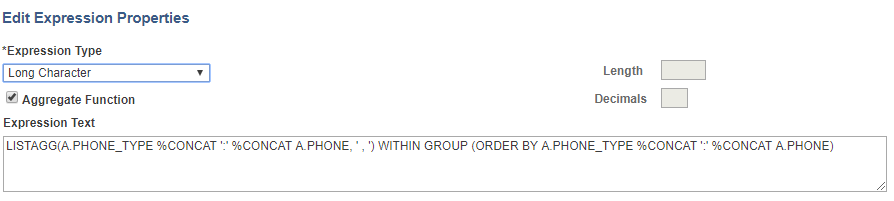
Aggregate Data Into a Single ColumnAggregate Data Into a Single Column

Post navigation

Previous Post: Monitoring Tool Plugin
Next Post: How To: PeopleSoft Item Load via Excel To Component Interface

↑ Back to top

↑ Back to top
  • Free Resources
  • YouTube Channel
  • Tricks
    • App Engine
    • Debugging
    • ERD
    • ExcelToCI
    • nVision
    • PeopleCode
    • PSQuery
    • PUM
    • SQL
    • SQR
    • Upgrades
    • XML/BI Publisher
  • About PeopleSoft Tricks
  • Free Resources
  • YouTube Channel
  • Tricks
    • App Engine
    • Debugging
    • ERD
    • ExcelToCI
    • nVision
    • PeopleCode
    • PSQuery
    • PUM
    • SQL
    • SQR
    • Upgrades
    • XML/BI Publisher
  • About PeopleSoft Tricks
↑ Back to top

Tags

applicationengine debug nvision peoplecode query trees upgrade
© 2026 PeopleSoft Tricks Theme by wpforests
  • About PeopleSoft Tricks
  • Contact Us
↑ Back to top